> For the complete documentation index, see [llms.txt](https://adaptai.gitbook.io/untitled/llms.txt). Markdown versions of documentation pages are available by appending `.md` to page URLs; this page is available as [Markdown](https://adaptai.gitbook.io/untitled/the-bot/automod.md).
# Automod
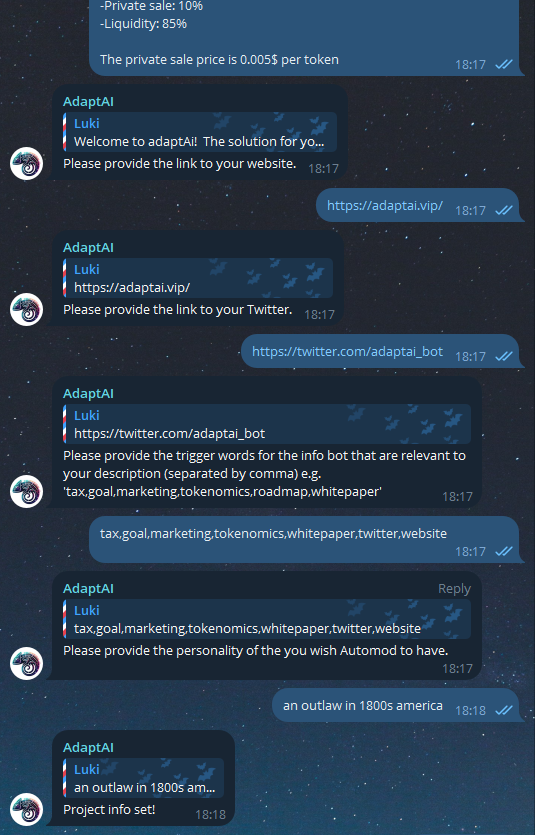
To enable Automod you need to run the **/set\_project\_info** command and give the bot all the info it requests.
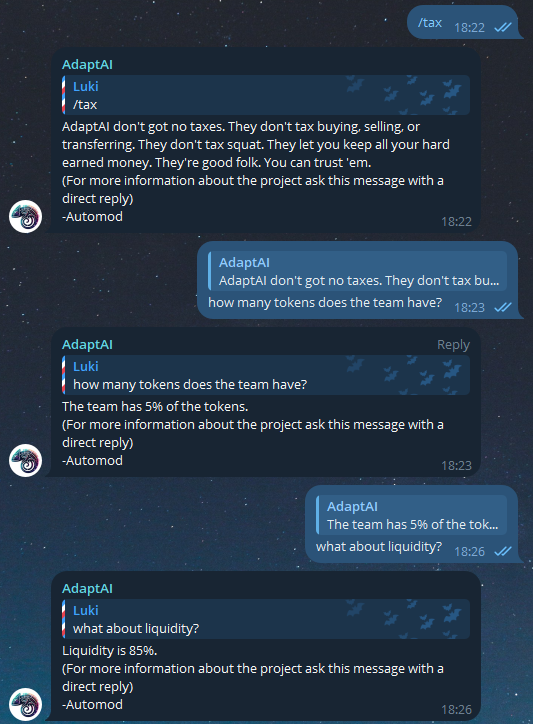
When you're done giving all the information to the bot like in the example above, Automod will listen to the chat and wait for people to say any of the trigger words you submitted and respond to them using natural language so everyone can understand